Outlook Outage, November 2026: Timeline, What to Do, and Whether to Switch
The Microsoft 365 and Outlook outage that began November 12, 2026, hour by hour in Eastern Time, with what to do while it lasts, what not to do, and how to avoid depending on a single inbox.
 12 min read

The Outlook outage that began on Thursday, November 12, 2026 was still not fully resolved on Friday evening, November 13. At 5:00 PM ET Microsoft reported “sustained service recovery” but kept the incident open while it clears a backlog of email, and its status page still showed “Service degradation” for Microsoft 365 when we checked at 6:37 PM ET. The fault is on Microsoft’s side, so there is nothing to fix on your computer or phone.
The outage is on Microsoft’s side: do not reinstall Outlook or change your password, check status.cloud.microsoft and reach urgent contacts another way. At 6:37 PM ET on November 13, 2026, Outlook.com was back to Operational on Microsoft’s consumer status page, but Microsoft 365 still showed Service degradation. For next time, keep a backup address with another provider, for example Proton Mail (free, or Mail Plus at $1.99 a month until November 30, 2026).
Summarize this article with:
 ChatGPT
 Perplexity
 Claude
 Grok
This page does three things. It lays out what is confirmed, hour by hour, with a time zone and a source for every fact. It explains what to do while the outage lasts, and above all what not to do. And it answers the question many people are asking this weekend, whether to switch email providers, without pretending any other service never goes down.
Updated Friday, November 13, 2026 at 6:40 PM ET. We will revise this page when Microsoft declares full recovery. We are an independent site, and this page contains affiliate links to Proton that can pay us a commission at no cost to you.
Outlook outage timeline, hour by hour (Eastern Time)
Microsoft has not published a full post-incident report yet, and early coverage did not always agree on times. The table below only keeps dated facts, each with its source, in US Eastern Time.
| When (ET) | What happened | Source |
|---|---|---|
| Thu, Nov 12, 9:45 to 10:53 AM | A separate Teams incident (TM1550488) delays or blocks messages in North and South America; Microsoft blames resource contention and marks it resolved. It has not said whether it is linked to what followed. | BleepingComputer |
| Thu, Nov 12, before 1:26 PM (exact time not given) | Microsoft investigates Exchange Online mailbox connectivity problems in the Americas, then says users in any region may be affected | BleepingComputer, citing Microsoft |
| Thu, Nov 12, 1:26 PM | Microsoft 365 incident MO1550821 begins, covering Exchange Online, Teams, SharePoint Online, Microsoft 365 Copilot and Defender XDR | BleepingComputer, citing Microsoft |
| Thu, Nov 12, 6:57 PM | Limited recovery: some servers are back in service. Microsoft says a core process on the affected servers was overwhelmed and is checking whether rolling back a few recent configuration updates would help | BleepingComputer, citing Microsoft |
| Fri, Nov 13, 8:05 AM | “Encouraging recovery progress”; Microsoft extends the window during which delayed email is retried to 48 hours | BleepingComputer, citing Microsoft |
| Fri, Nov 13, 12:06 PM | Email queues have dropped significantly and are nearing normal levels; Microsoft says it found no indication of malicious or cyber activity; no time given for full restoration | BleepingComputer |
| Fri, Nov 13, 3:03 PM | Consumer status: Microsoft is “still draining queued messages and rebalancing traffic” and has no ETA for full recovery | Microsoft service health status page (consumer card) |
| Fri, Nov 13, 4:15 PM | Our capture: “Service degradation” on Microsoft 365 (Business or Enterprise) and on Microsoft consumer products | Our reading of status.cloud.microsoft |
| Fri, Nov 13, 5:00 PM | Microsoft reports “sustained service recovery”, keeps monitoring “for an extended period” and wants the email backlog processed before calling the issue resolved; next update promised by 9:30 PM ET | Microsoft service health status page (business card) |
| Fri, Nov 13, 5:29 PM | Both Microsoft 365 cards still show “Service degradation” | Our reading of status.cloud.microsoft |
What caused the Outlook outage
Microsoft’s explanation shifted over the first day. It first pointed to elevated load on its infrastructure in several regions. It then said that this load was not driven by more traffic, and that servers had become unexpectedly unavailable, which left the rest short of capacity. According to BleepingComputer’s running coverage, Microsoft paused all deployments, moved traffic away from the affected systems and restarted servers. Why the servers failed has not been disclosed.
Nothing so far points to a cyberattack. Microsoft said it found no indication that the outage was caused by malicious or cyber activity, and Charles Lamanna, an executive vice president at Microsoft, told BleepingComputer that his teams are reviewing what happened to prevent similar issues.
What was hit, beyond Outlook
Microsoft’s own status message at 5:00 PM ET lists the damage in detail. Users may be unable to open their mailbox in Outlook on the web, Outlook desktop, or through Exchange ActiveSync and REST-based connections (used by many phone mail apps), and email delivery may be delayed. Anything that leans on Exchange Online was affected: Teams calendar invites and meeting edits, some Microsoft 365 admin center pages, and Microsoft 365 Copilot, which could fail to load or could not reach work email, calendars and files.
That last point is worth a pause. AI assistants that plug into your mailbox stop working when the mailbox does, and they also get to read it when it works. We cover that second issue, for Google’s side, in our guide on how to turn off Gemini in Gmail.
Is Outlook down right now? How to check in 30 seconds
Before you touch anything, find out whether the problem is yours or Microsoft’s. The source that counts is Microsoft’s official status page, status.cloud.microsoft, which exists precisely for days when administrators cannot reach their admin console.
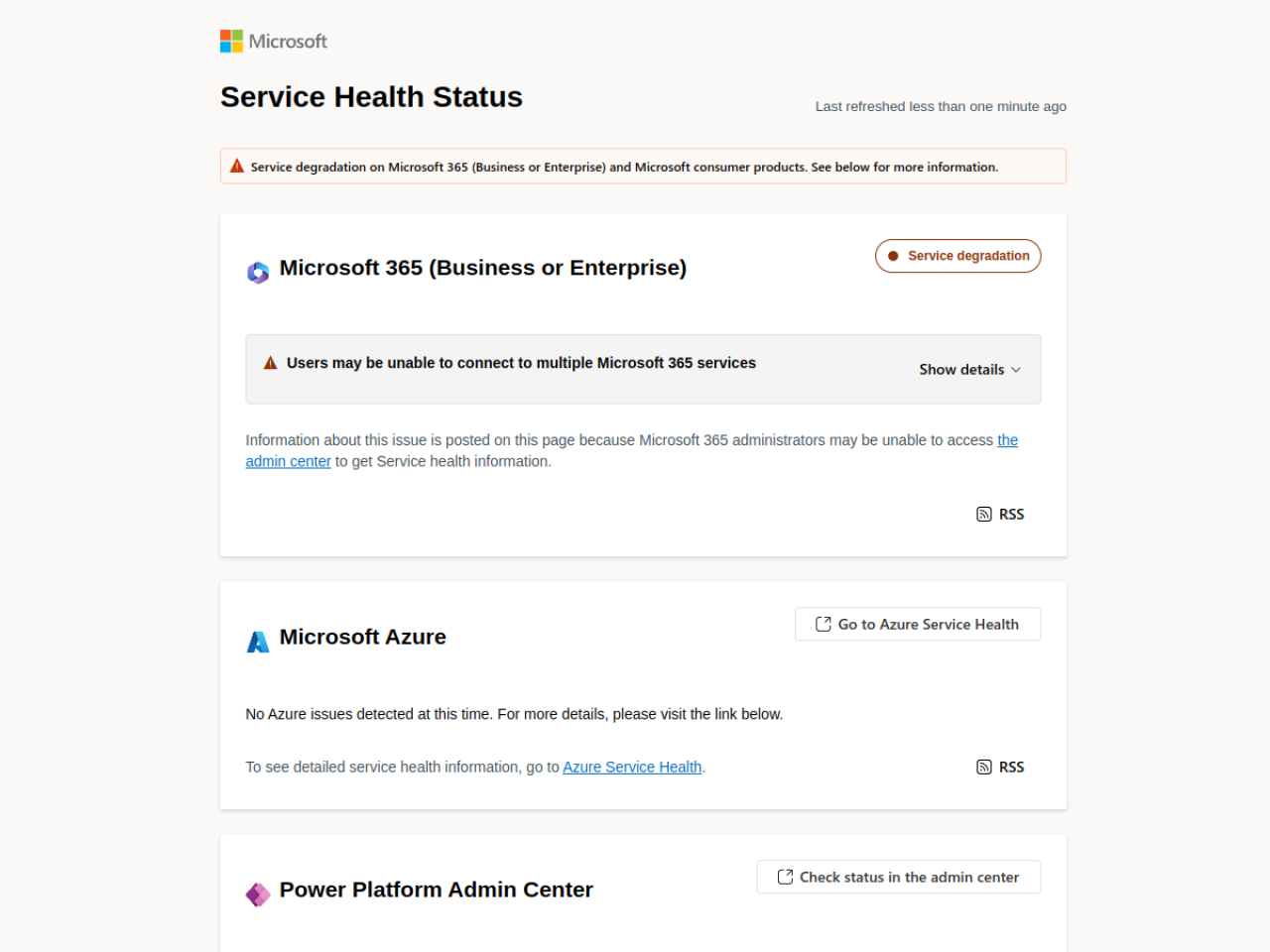
- Microsoft’s status page: an orange “Service degradation” label means an incident is in progress; “Show details” opens Microsoft’s latest update.
- Microsoft 365 Status on X: Microsoft posts progress updates there, with the incident number.
- Microsoft 365 admin center (work accounts): Service health gives the full incident record, when the admin center itself loads.
- Downdetector: shows whether other people report the same thing, but these are user reports, not an official measure.
If the status page is all green and you are the only one without email, the problem is most likely on your side: your connection, an expired password, a full mailbox or an app that needs an update. Only then do the usual troubleshooting steps make sense.
What to do during the outage, and what not to do
When the service is down at Microsoft, nothing you do on your device will bring it back. The right move is to wait while limiting the damage, and to avoid steps that make the recovery harder for you.
- Do not reinstall Outlook or remove your account from the app. You would have to resync everything at the moment Microsoft’s servers are already overloaded.
- Do not change your password because of the outage. Nothing suggests a breach, and a reset in the middle of an incident can lock you out for longer.
- Watch out for fake messages. High-profile outages attract phishing emails and texts that pose as Microsoft (“verify your account”). Microsoft will not ask for your credentials to fix an outage.
- Do not resend the same email ten times. Microsoft extended its retry window to 48 hours, so a stuck message has a good chance of going out once mail flow recovers.
- Reach important contacts another way (phone, text, another address) if something urgent is in progress.
If Copilot is your daily assistant and it cannot reach your files today, a general-purpose chatbot can still help with drafting; our list of free AI tools with no sign-up covers the ones that work in a browser right away. For a business, this is also the moment to write down what was missing: a client contact list outside the mailbox, the support phone number, a way to talk to the team without Teams. Those gaps show up during an outage and are forgotten the day after.
After the outage: three precautions for next time
Every hosted email service goes down someday, at Microsoft and everywhere else. What makes the difference is what you set up beforehand, and for most individuals and freelancers three steps are enough.
1. A backup address with a different provider
Open a second address with a provider other than your main one, add it as a recovery email on your Microsoft account, and give it to the people who matter. On outage day you have a channel that works, and on the day you get locked out of your account, you have a way back in.
2. A local copy of your important email
Classic Outlook for Windows can export a mailbox or a folder to a .pst file (File, Open & Export, Import/Export). An up-to-date copy of your work email keeps you going when the server does not answer, at least to find an attachment or an address. Do it on a schedule, not once.
3. Contacts and appointments outside your inbox
During this outage, plenty of people found out that their clients’ phone numbers and today’s meetings existed only in Outlook. Export your address book now and keep the day’s appointments somewhere else too, on your phone or on paper, especially if you work with clients.
Should you switch email providers after an outage?
The honest answer is no, not for that reason alone. No email service is immune to outages: Gmail has had them, Proton has had them, and smaller providers do not have Microsoft’s infrastructure. Leaving Outlook to escape outages just changes who your outages come from. What actually protects you is not depending on a single inbox, as described above.
The outage is, however, a fair moment to ask whether your current inbox suits you on other counts: privacy, ads, and how AI uses your messages. Those criteria, more than uptime, are what really separate the Outlook and Gmail alternatives.
| Criterion | Outlook.com | Gmail | Proton Mail |
|---|---|---|---|
| Can it go down? | Yes, as this week showed | Yes | Yes, like any hosted service |
| Can the provider read stored messages? | Yes, technically | Yes, technically | No, zero-access encryption according to Proton |
| Provider’s AI assistant | Copilot | Gemini, if you connect it | Lumo, no logs and no training according to Proton |
| Headquarters | United States | United States | Switzerland |
| Starting price | Free | Free | Free; Mail Plus on sale until November 30, 2026 |
A backup address, or more
Proton Mail: free, or Mail Plus at $1.99 a month until November 30
Encrypted email based in Switzerland. Mail Plus is $23.88 for the first 12 months for new customers, then $47.88 a year, with a 30-day money-back guarantee.
See the Proton Mail dealAffiliate link: we may earn a commission at no extra cost to you. Price read on November 13, 2026; confirm it on the checkout page.
Proton Mail as a backup or a replacement: what it fixes and what it doesn’t
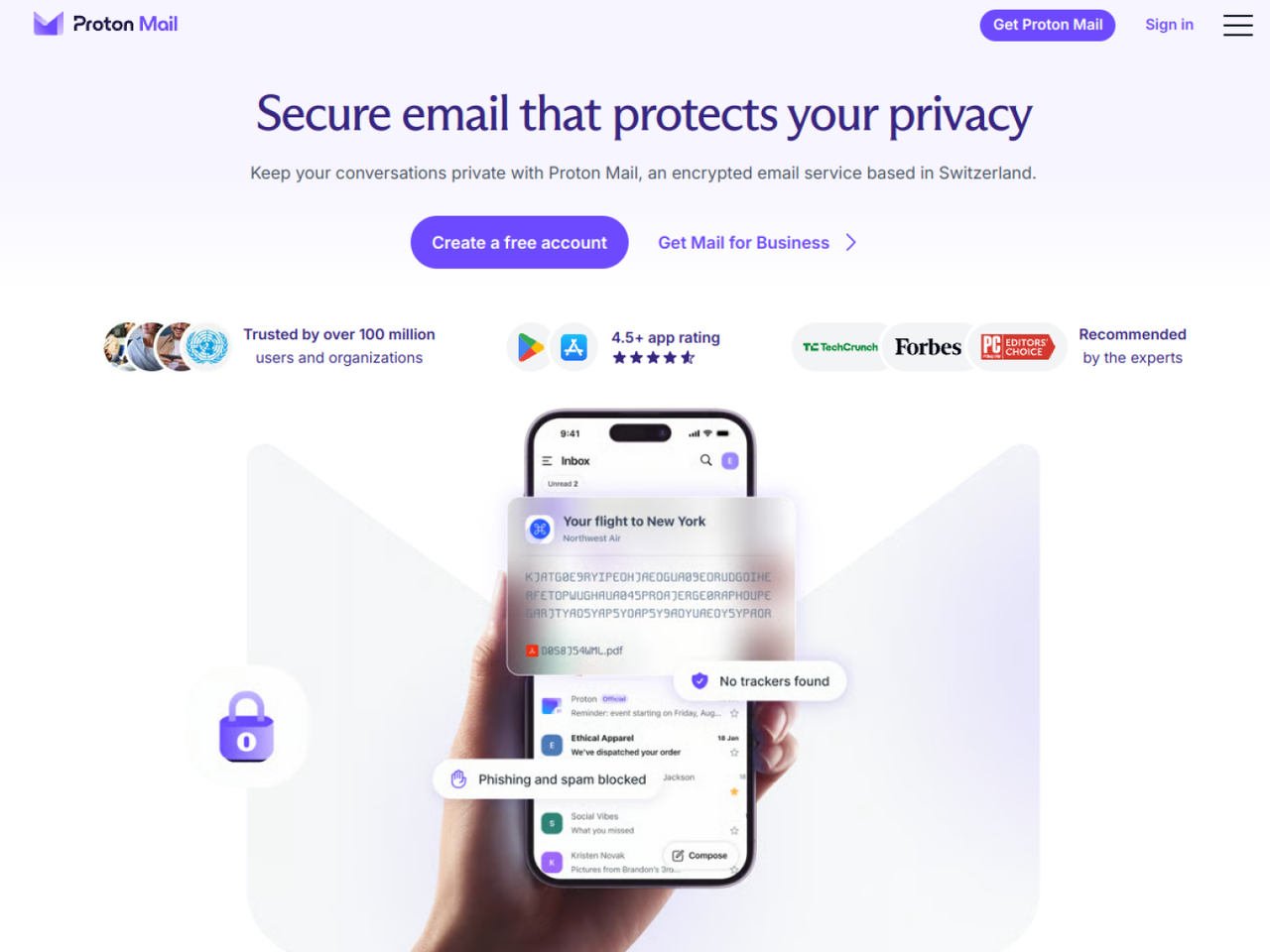
Proton Mail is the name that comes up most when people want to leave Outlook or Gmail for privacy reasons. Stored messages are encrypted so that Proton itself cannot read them, according to the Swiss company, and the service is not funded by ads. That also means no assistant at Proton can mine your mailbox to train a model.
What it does not fix needs saying too. Proton Mail is not immune to outages, and a message you send to someone on Outlook or Gmail can be read by the recipient’s provider, as Proton itself explains. Its office and video tools are thinner than Microsoft 365’s, so for a company that lives in Teams, Proton complements more than it replaces.
For an individual or a freelancer, moving is simpler than it looks: Proton’s Easy Switch tool imports email, contacts and calendars from an old account. And the free plan is enough to make Proton your backup address before you decide anything else. If you want an AI assistant that does not read your inbox at all, Proton’s Lumo works free without an account; we tested it in our Lumo review.
If you want more, Proton’s Black Friday sale runs until Monday, November 30, 2026, with discounts reserved for partner links like ours. Prices read on November 13, 2026, in US dollars, on the offer page our link leads to, for new customers: Mail Plus is $1.99 a month on a 12-month plan, so $23.88 for the first year instead of $4.99 a month, then $47.88 a year at renewal. Proton Unlimited (email, storage, VPN and password manager) is $6.49 a month, or $77.88 for the first year, then $119.88. Every Proton deal is listed on our Proton Black Friday page.
Do not depend on a single inbox
Proton Mail Plus: $23.88 for the first year
Black Friday price for new customers through November 30, 2026. Or start with the free plan as your backup address.
See Proton MailAffiliate link: we may earn a commission at no extra cost to you. Price read on November 13, 2026.
Frequently asked questions
Is the Outlook outage fixed yet?
Not completely as of Friday, November 13, 2026 at 6:37 PM ET. Outlook.com was listed as Operational on Microsoft’s consumer status page, but Microsoft 365 business services were still under Service degradation while the email backlog clears. Microsoft reported sustained recovery at 5:00 PM ET but kept the incident open while it processes the email backlog, and its status page still showed Service degradation. Check status.cloud.microsoft for the live state.
What caused the Outlook outage?
Microsoft first cited elevated load on its infrastructure, then said servers had become unexpectedly unavailable, not that traffic had grown. It found no indication of malicious or cyber activity and had not disclosed why the servers failed as of November 13.
Is there a problem with Outlook today?
Look at Microsoft’s status page first: an orange Service degradation label means a known incident. If it is green and only your account fails, the cause is likely local, such as your connection, an expired password, a full mailbox or an outdated app.
Why isn’t my Outlook email working?
During this outage, almost certainly because of Microsoft. Close and reopen the app now and then, without reinstalling it or changing your password. Be wary of any message asking you to unlock or verify your account through a link: that is a classic phishing trick.
Are emails sent during the outage lost?
Not necessarily. Microsoft extended to 48 hours the window during which delayed messages are retried. Check your Outbox and Sent folders once service returns, and resend only what did not go out or bounced back.
Are flights impacted by the Microsoft outage?
None of the sources we read for this incident, Microsoft’s status updates and BleepingComputer’s coverage, mention airline disruptions. The flight chaos many people remember dates from July 2024, when a faulty CrowdStrike update crashed Windows computers worldwide, a different kind of incident.
Can Proton Mail go down too?
Yes, like any online service, and Proton publishes the status of its services. Choosing Proton improves privacy, not guaranteed uptime, so keep a backup address with another provider there as well.
Sources read on Friday, November 13, 2026: Microsoft’s service health status page (our capture around 4:15 PM ET, business update of 5:00 PM ET and consumer update of 3:03 PM ET, last check 6:37 PM ET); BleepingComputer’s coverage by Lawrence Abrams, updated November 13 at 12:06 PM ET, which cites Microsoft’s posts on X; Proton’s pages on zero-access encryption and its partner offer page.