Is iLovePDF Safe? What Happens to Your Files in 2026
iLovePDF says it deletes files within two hours and holds ISO 27001. Here is what that means for US users, what Premium costs and which tools keep a PDF on your own computer.
 12 min read
iLovePDF is safe enough for everyday documents such as a class handout, a menu or a brochure, but it is a poor place for a passport scan, a tax return or a client contract. The company says it deletes every processed file within two hours and protects the connection with HTTPS. It also states that it holds an ISO/IEC 27001:2022 certification. Those are iLovePDF’s own claims, and nobody outside the company can confirm them file by file.
iLovePDF is safe enough for everyday documents: it says it deletes files within two hours and uses HTTPS. For passports, tax returns or client files, process the PDF on your own computer instead.
Summarize this article with:
 ChatGPT
 Perplexity
 Claude
 Grok
GrokWe read iLovePDF’s security page, its privacy policy and its pricing page on October 23, 2026. We did not run a technical audit, a penetration test or an upload experiment, so this review covers what the company publishes and what is publicly known about the category. When a statement cannot be checked from the outside, we say so.
What iLovePDF says it does with your files
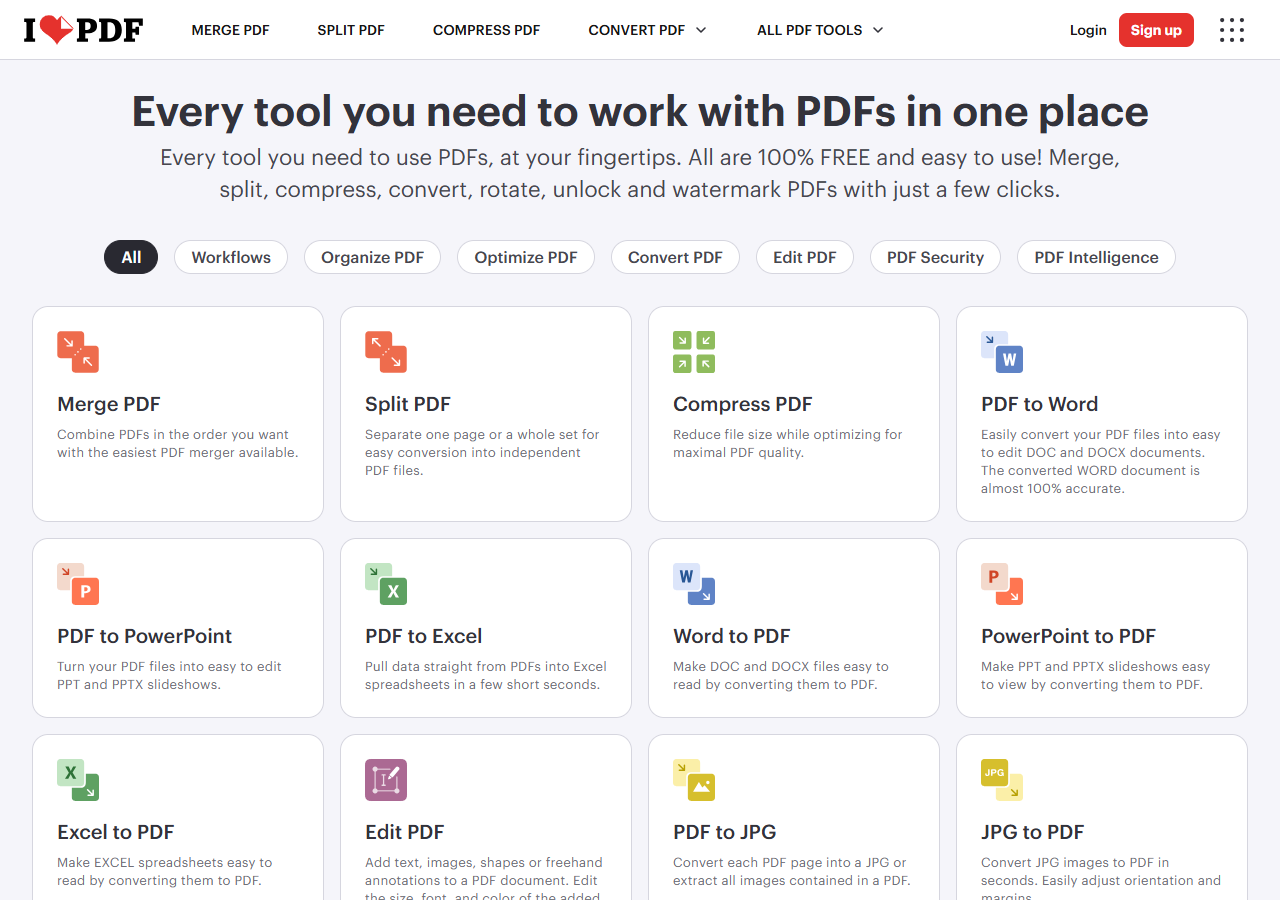
Almost everything below comes from three pages on ilovepdf.com: the security page, the privacy policy (last revised February 19, 2026) and the pricing page. The right-hand column is our reading of what each statement means for you.
| Topic | What iLovePDF says | What it means for you |
|---|---|---|
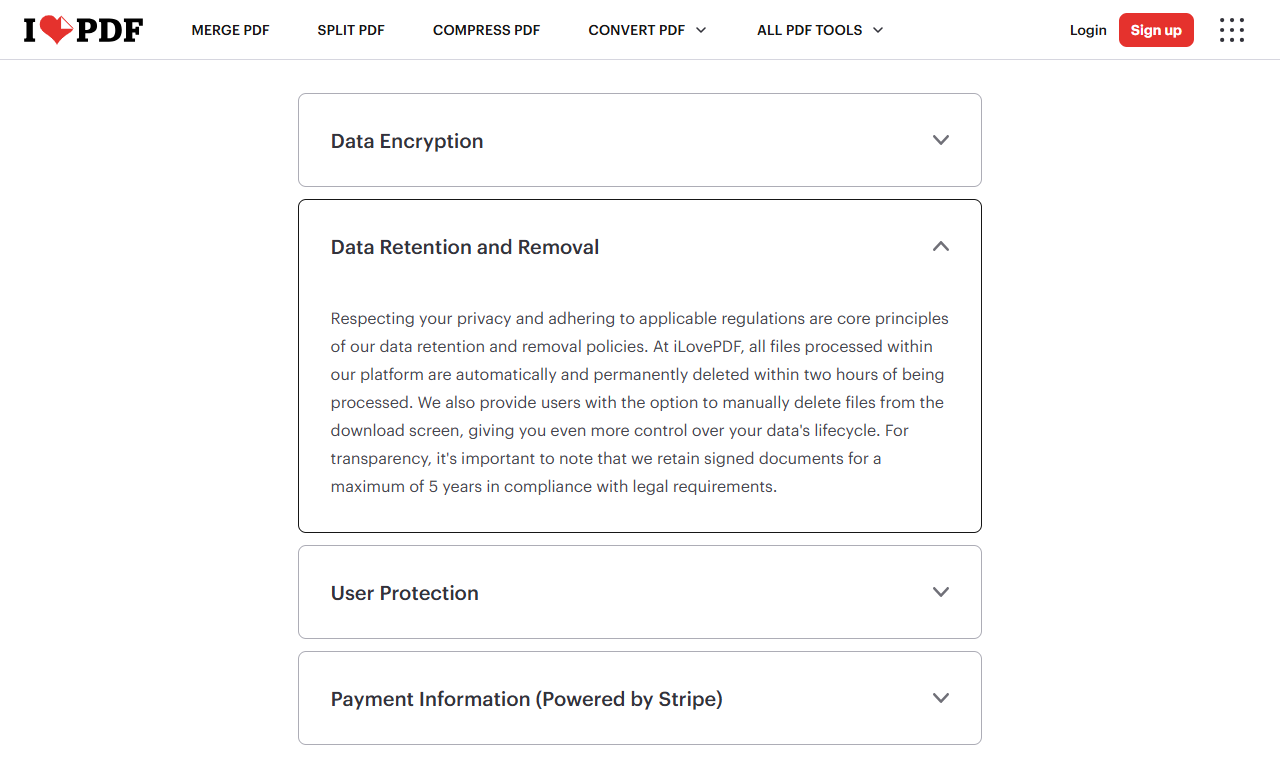
| File deletion | Processed files are automatically and permanently deleted within two hours. You can also delete them by hand from the download screen. | Your file sits on the company’s servers until then. Delete it yourself once you have the result. |
| Signed documents | The iLoveSign e-signature tool keeps signed documents for up to five years, for legal reasons. | The two-hour rule does not apply to documents you sign through that tool. |
| Encryption | HTTPS in transit and encryption at rest. The security page also uses the phrase “end-to-end encryption”. | HTTPS protects the trip to the server. A tool that compresses or converts your PDF has to read it, so the phrase describes the encrypted connection, not a file nobody else can open. |
| Certification | ISO/IEC 27001:2022, described as recently renewed, plus GDPR compliance. | The audit covers how the company manages security, not what happens to any single file. |
| Company | ILOVEPDF, S.L., in Barcelona, Spain. It acts as data controller for your account and as data processor for the files you upload. | A named EU company with a published address and a privacy contact. |
| Processing location | As a general rule inside the European Economic Area. For users outside it, files may be processed closer to them. | If you are in the US, your file may not stay in Europe. No country list is published. |
One detail is worth knowing about the encryption wording. A 2023 post on iLovePDF’s blog explains “end-to-end encryption” by pointing to HTTPS. That is a normal, useful protection against someone snooping on your Wi-Fi. It does not mean the company cannot see your file, which is impossible for a service that has to open it to do the work. The same post says iLovePDF does not access, use or analyze the content you process, and that is a promise you have to take on trust.
Where your file goes if you are in the US
The privacy policy says files are processed inside the European Economic Area as a general rule, unless the user has selected otherwise. It adds that, for users outside the EEA, iLovePDF may process data in places closer to them to keep the service fast. In that case it says it prioritizes countries with a European Commission adequacy decision and uses standard contractual clauses with its infrastructure providers elsewhere.
In plain terms, a reader in the United States cannot assume the file stays in Europe, and the company does not publish a list of countries. The pricing page also lists “regional file processing” in its security row, with 7 regions on the Premium plan and 11 on Business, but it does not name the regions or explain how to choose one. If data location matters for your work, ask the company at privacy@ilovepdf.com before you rely on it.
Two hours is a policy you cannot test
Automatic deletion after two hours is a reasonable rule, in the same range as the one-hour windows PDF24 and Smallpdf state. Still, it is a policy, not a feature you can verify. For those two hours, a copy of your document exists on someone else’s infrastructure, and a misconfigured server, a breach or a legal order would reach that copy.
This is not a theory for the category. In July 2024, researchers at Cybernews found that two other online PDF services, PDF Pro and Help PDF, had left a cloud storage bucket open to anyone, exposing 89,062 files including passports and contracts, as TechRadar reported. Neither service is iLovePDF, and we found no comparable incident involving iLovePDF. The lesson is simply that the safest copy of a sensitive file is the one you never upload.
Does a VPN make uploads safer?
Partly. A VPN encrypts your connection and hides your IP address, which helps on public Wi-Fi. It changes nothing about what the service does with the file once it arrives. If you want one for travel, our guide on how to choose a VPN compares the main options.
What about the AI tools?
The pricing page lists an AI Summarizer and a PDF translator, in “standard” and “advanced” versions, and Premium includes 2,000 AI credits. The pages we read do not say which AI provider handles your text or whether the two-hour deletion rule covers it. Until that is documented, keep private documents out of those tools. For a non-sensitive text, a free AI assistant that needs no account can summarize it too.
Which documents are fine to upload
The tool matters less than the document. Merging two brochures and converting a pay stub use the same pipeline, so decide by what happens if the file leaks.
| Document | Upload to iLovePDF? | What to do |
|---|---|---|
| Brochures, class notes, a resume without a home address, anything already public | Reasonable | Delete the file after you download the result. |
| Utility bills, receipts, ordinary invoices | Acceptable with care | Remove account numbers you do not need before uploading. |
| Passports, driver’s licenses, Social Security numbers, bank statements, tax returns | Avoid | Process the file on your own computer. |
| Medical records | Avoid | Check HIPAA rules and your employer’s policy first, and use local software. |
| Client contracts, NDAs, files that hold other people’s data | Check first | You become responsible for third-party data. Use an offline tool or a vendor agreement. |
| Attorney-client or other privileged material | Avoid | Use an offline tool or a contracted professional service. |
Free or Premium: what the paid plan changes
On the pricing page we read on October 23, 2026 (from a European connection, so in euros), Premium costs €5 a month billed annually (€60 per year) or €9 a month with no commitment. iLovePDF shows prices in your local currency; US search listings show the same figures in dollars, which we could not confirm from a US connection, so check the amount at checkout. The Business plan is quoted on request. The page also offers a full year of Premium free to students and academic professionals, without detailing the eligibility checks.
| Feature | Free | Premium |
|---|---|---|
| Price | Free | €5 a month billed annually (€60), or €9 a month (euro prices read Oct 23, 2026; shown in your local currency) |
| Merge PDF | Up to 25 files, 100 MB per task | Up to 500 files, up to 4 GB |
| Compress PDF | 2 files, 200 MB per task | 10 files, up to 4 GB |
| Word, Excel, PowerPoint conversion | 1 file, 15 MB per task | 10 files, up to 4 GB |
| OCR | 1 file, 15 MB per task | 10 files, up to 4 GB |
| Sign PDF | 3 files | 5 files |
| Ads | Yes | No |
| Apps | Web | Web, desktop and mobile |
| AI credits | None listed | 2,000 |
Premium buys bigger limits, not a documented stronger deletion rule. The pages we read give the same two-hour deletion statement for all processed files and do not tie it to a plan. The one security-related line that differs is regional file processing, covered above. For a one-off job, the free version is enough. If you merge large files or run OCR every week, the annual plan is a modest cost.
Safer alternatives for sensitive PDFs
If a document is sensitive, the most reliable fix is software that works on your own device, because there is nothing to delete and nobody to trust. Online services are still convenient for light jobs, and several publish clearer deletion and location statements than the average site.
| Tool | Where your file goes | What the vendor says | Cost |
|---|---|---|---|
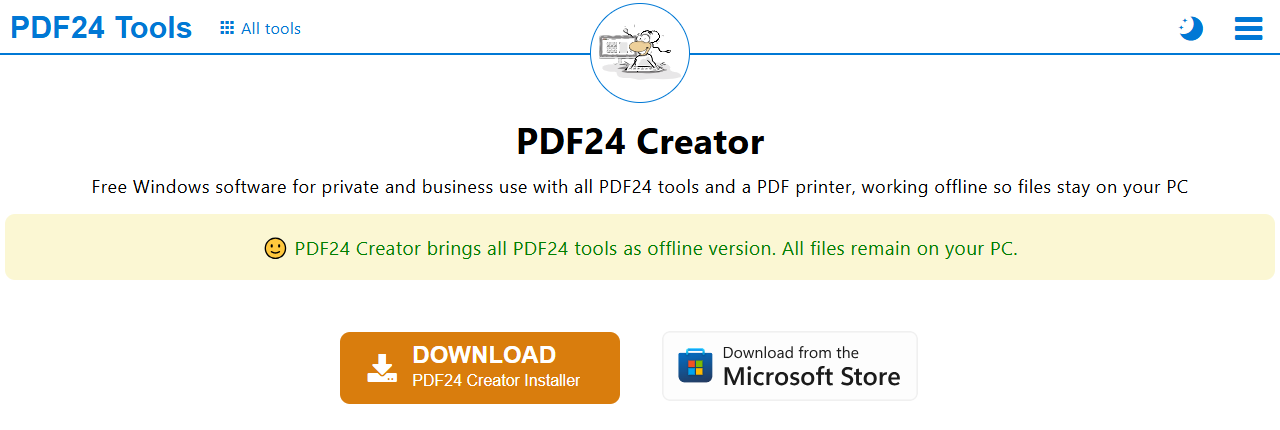
| PDF24 (Geek Software GmbH, Germany) | Online tools use EU servers. PDF24 Creator for Windows works offline. | Files deleted from the server within one hour. All transfers encrypted. | Free, ad-supported |
| Smallpdf (Switzerland) | Online upload, servers in Ireland. | Free-tool files deleted after one hour. ISO 27001 certified. | Free with daily limits, paid Pro plan |
| Adobe Acrobat online | Online upload to Adobe’s servers. | Files are “securely handled” and deleted unless you sign in to save them. The tool page gives no deletion time. | Free online tools, paid Acrobat plans |
| Stirling PDF | Desktop app, browser UI or your own server. | Open source. The company says the editor runs on your machine and that you can verify the code. | Free to run, paid server and enterprise plans |
| Preview (macOS) or PDFsam Basic | Your own computer. | Nothing is uploaded. | Free |
PDF24 is the easiest swap for most Windows users: its Creator app brings the online tools to your PC, and the download page lists version 11.31.1 from October 8, 2026. Mac users already have Preview, which can merge, reorder and sign PDFs without leaving the machine. Stirling PDF is the option for people who want an iLovePDF-style interface with nothing uploaded, either as a desktop app or on their own server.
Five habits before you upload a PDF
- Remove what you do not need at the source. Delete the account number from the original file instead of covering it with a black box, which can leave the text underneath.
- Delete the file from the download screen as soon as you have the result, without waiting for the two hours.
- Avoid public Wi-Fi for personal documents unless you are on a VPN.
- If you create an account, use a unique password stored in a password manager and turn on two-factor authentication, which iLovePDF offers.
- When in doubt, use a local app. It takes five minutes to install and removes the question.
Our recommendation
iLovePDF remains a fast, clear tool for the PDF jobs most people face once a month. Use it for documents you would be comfortable emailing to a stranger, and keep anything with an identity, a bank detail or a client’s data on your own machine. We do not give it a score, because we ran no technical test of the service and a number would mean little.
Frequently asked questions
Is iLovePDF safe to use?
For ordinary documents, yes. The company states that it deletes processed files within two hours, uses HTTPS and holds an ISO/IEC 27001:2022 certification. For identity documents, bank files, medical records or client data, process the PDF on your own computer instead.
Does iLovePDF store data?
It stores your files only briefly: the security page says processed files are deleted automatically and permanently within two hours, and you can delete them yourself. The exception is the iLoveSign tool, which keeps signed documents for up to five years for legal reasons. If you create an account, the privacy policy covers the personal data tied to it.
Who is the owner of iLovePDF?
The privacy policy names ILOVEPDF, S.L., a company based in Barcelona, Spain, as the entity behind the service. A company blog post says the service has been running since 2010. We did not find a parent company in the pages we read.
Does iLovePDF make money?
Yes. The pricing page shows paid Premium and Business plans, and the free version carries ads, which Premium removes. iLovePDF also sells an API for developers. The security page states that the company does not sell your data to third parties.
How much does iLovePDF cost?
The free version has limits per task. On the pricing page we read on October 23, 2026, Premium was €5 a month billed annually (€60 per year) or €9 a month with no commitment; the amount is shown in your local currency. Business pricing is quoted on request, and students and academics can get a free year of Premium.
Can you trust iLovePDF?
It is a named European company with a published privacy policy and a security certification, and we found no breach involving it. Trust still has limits: you cannot verify deletion yourself, so keep sensitive files off any upload service.
What is the safest PDF app to use?
An app that works entirely on your device, because the file never leaves it. Good free options are PDF24 Creator on Windows, Preview on a Mac and the desktop version of Stirling PDF. Download them from the official sites only.
Which PDF editor is safe?
Any mainstream editor that runs locally is a safer choice for sensitive files than an upload service. Keep it updated, install it from the vendor’s own website, and avoid cracked or unknown “free PDF” installers, which are a common way to spread malware.
What are the risks of downloading a PDF file?
A PDF can contain links to phishing pages or exploit a flaw in an outdated reader. Open files only from senders you expect, keep your PDF reader and operating system updated, and be careful with attachments that ask you to log in or enable content.
How do I know if a PDF has malware?
You usually cannot tell by looking at it. Scan the file with up-to-date security software before opening it, and treat unexpected PDFs with suspicion. Online scanners receive a copy of the file, so do not use them for private documents.